
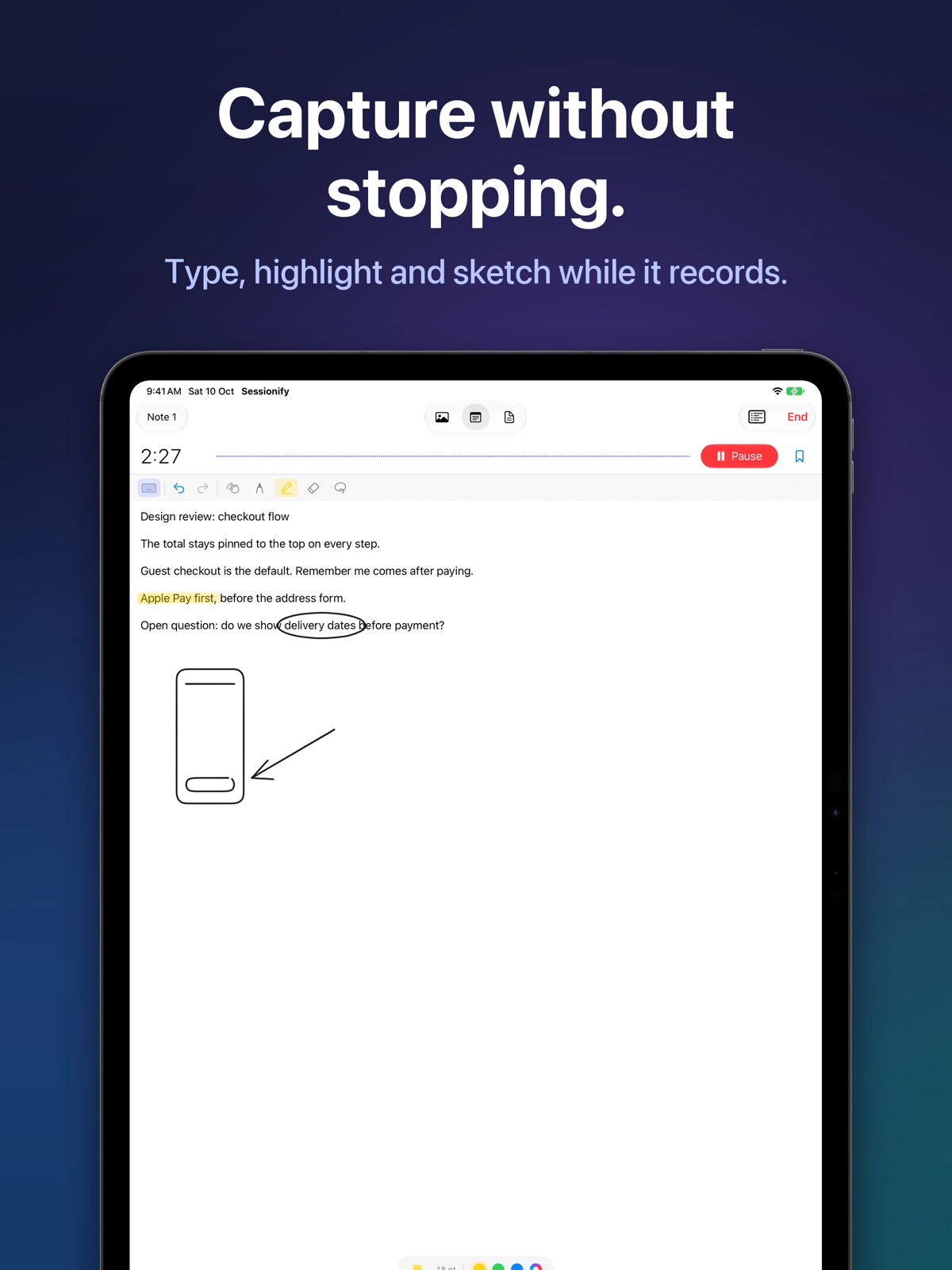
Capture without stopping.
Photos, short clips, typed notes or Apple Pencil while the recording rolls. The shutter is silent, so it never lands in the audio.
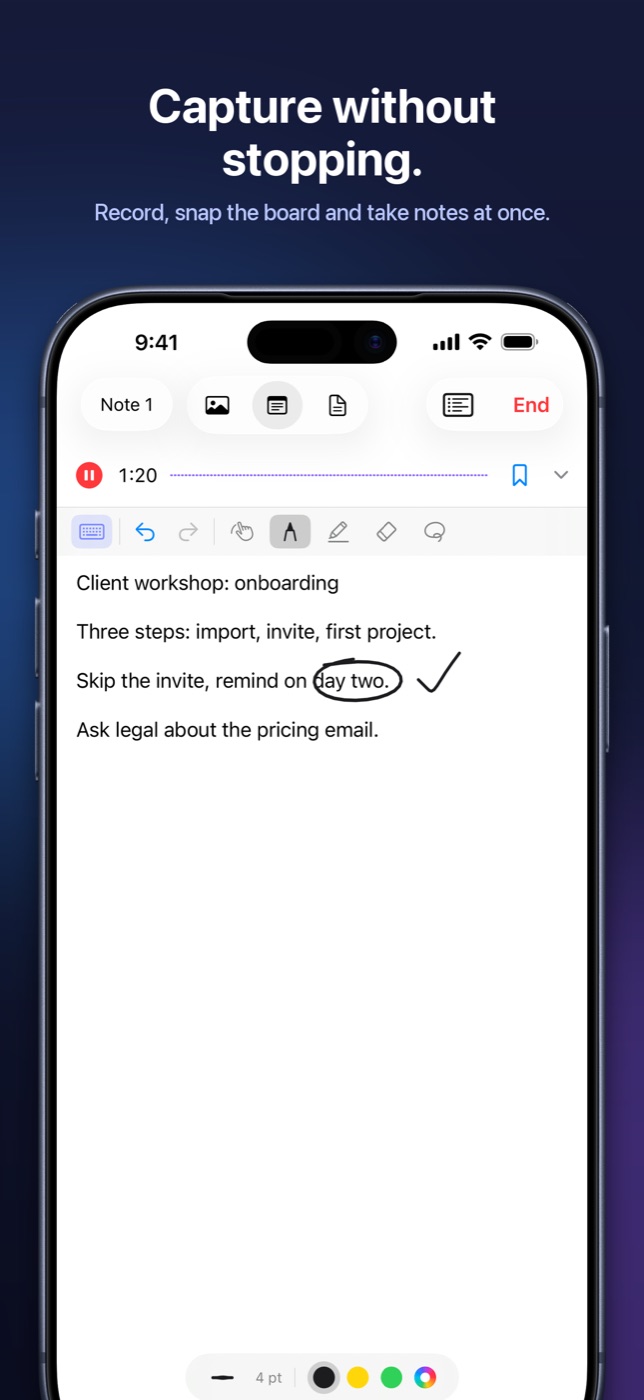
For meetings that happen in a room, not on a call.
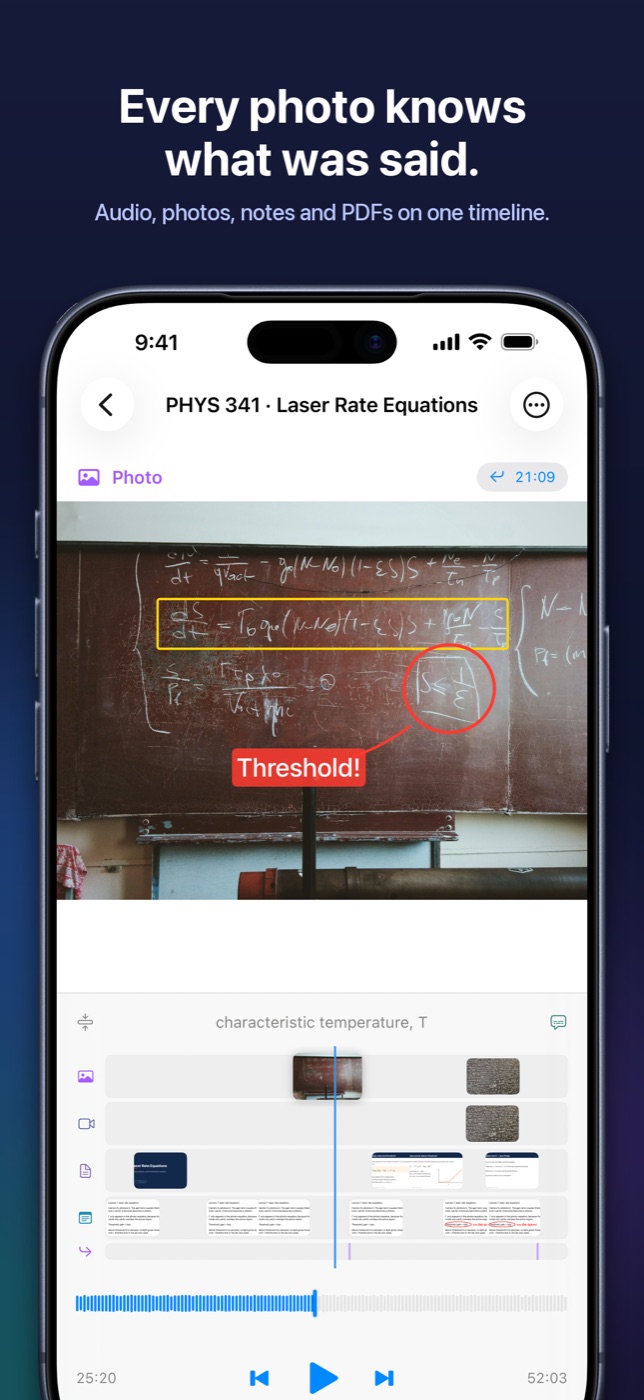
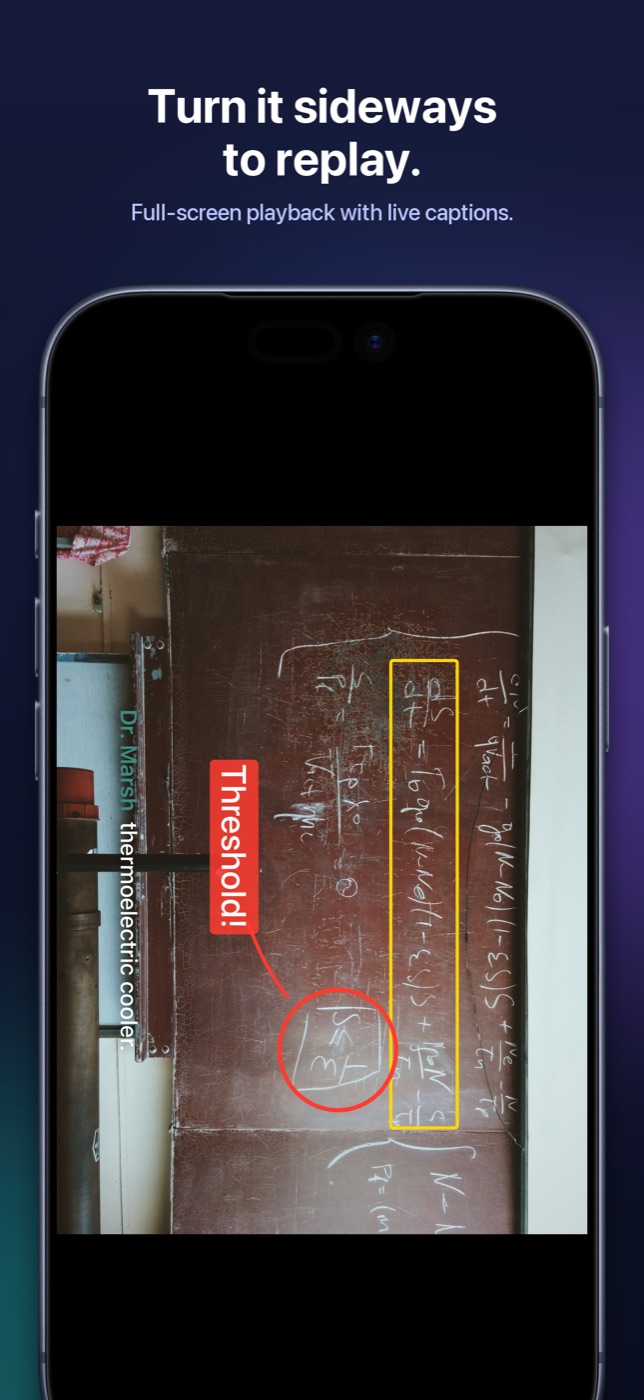
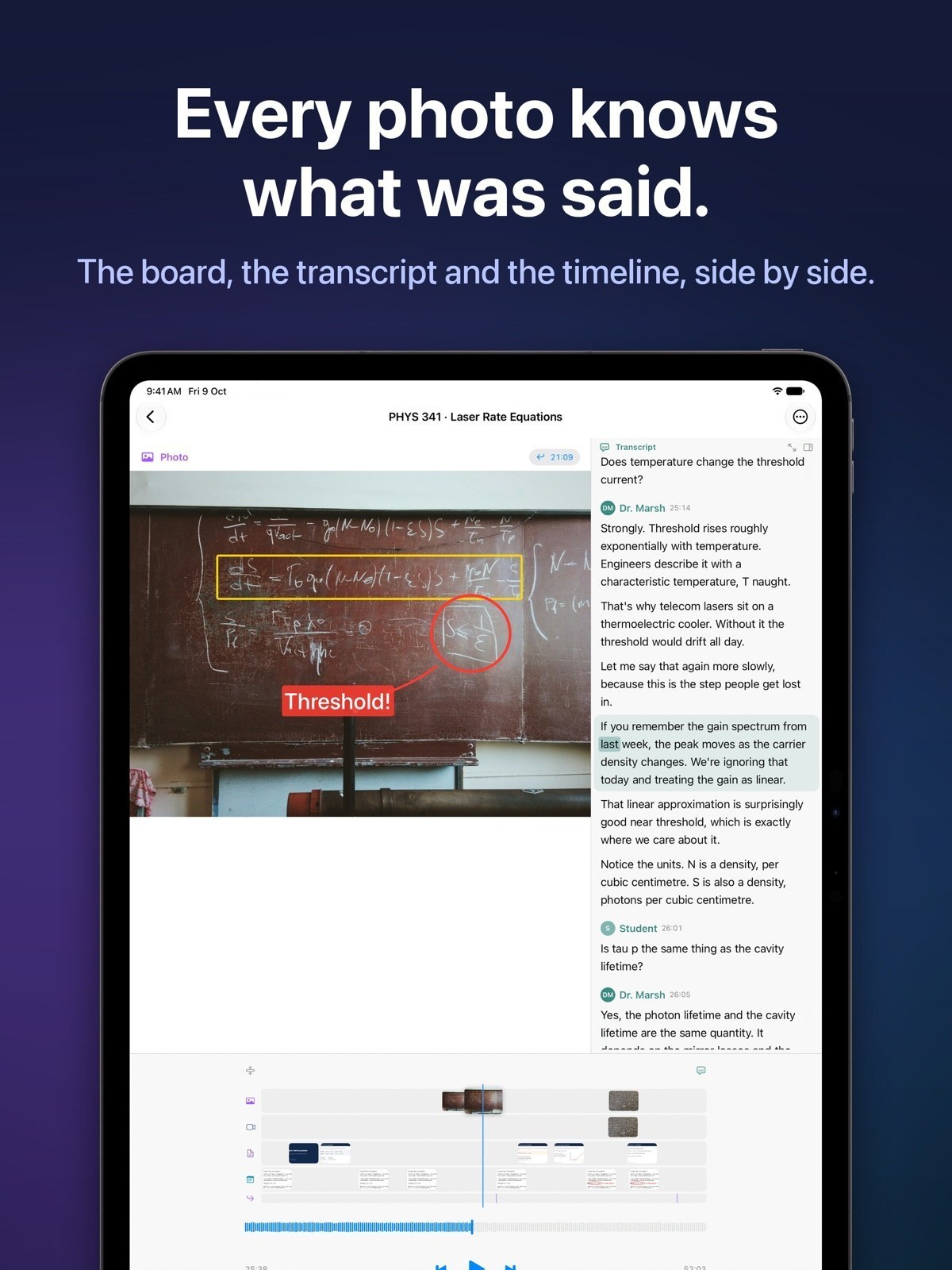
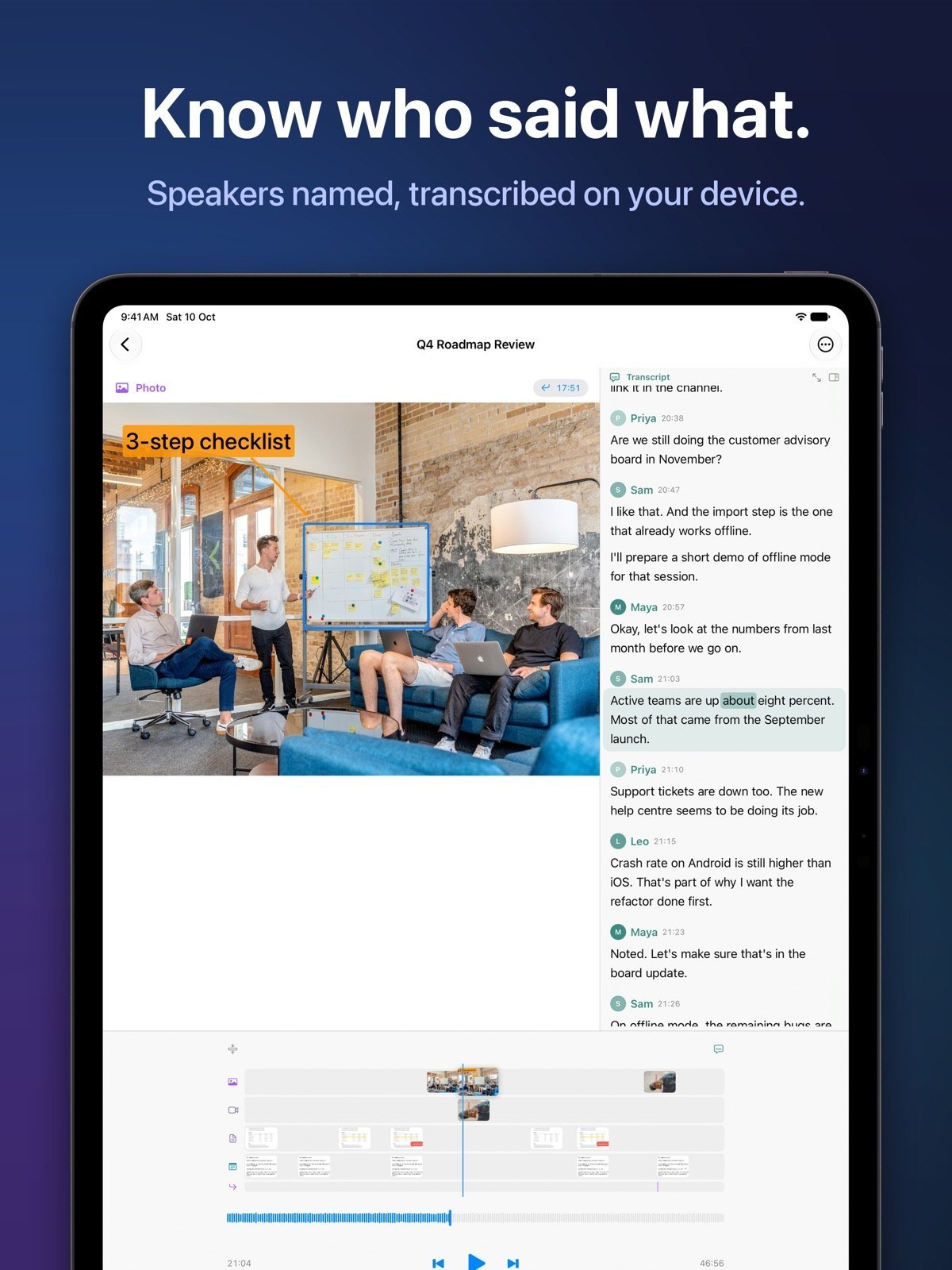
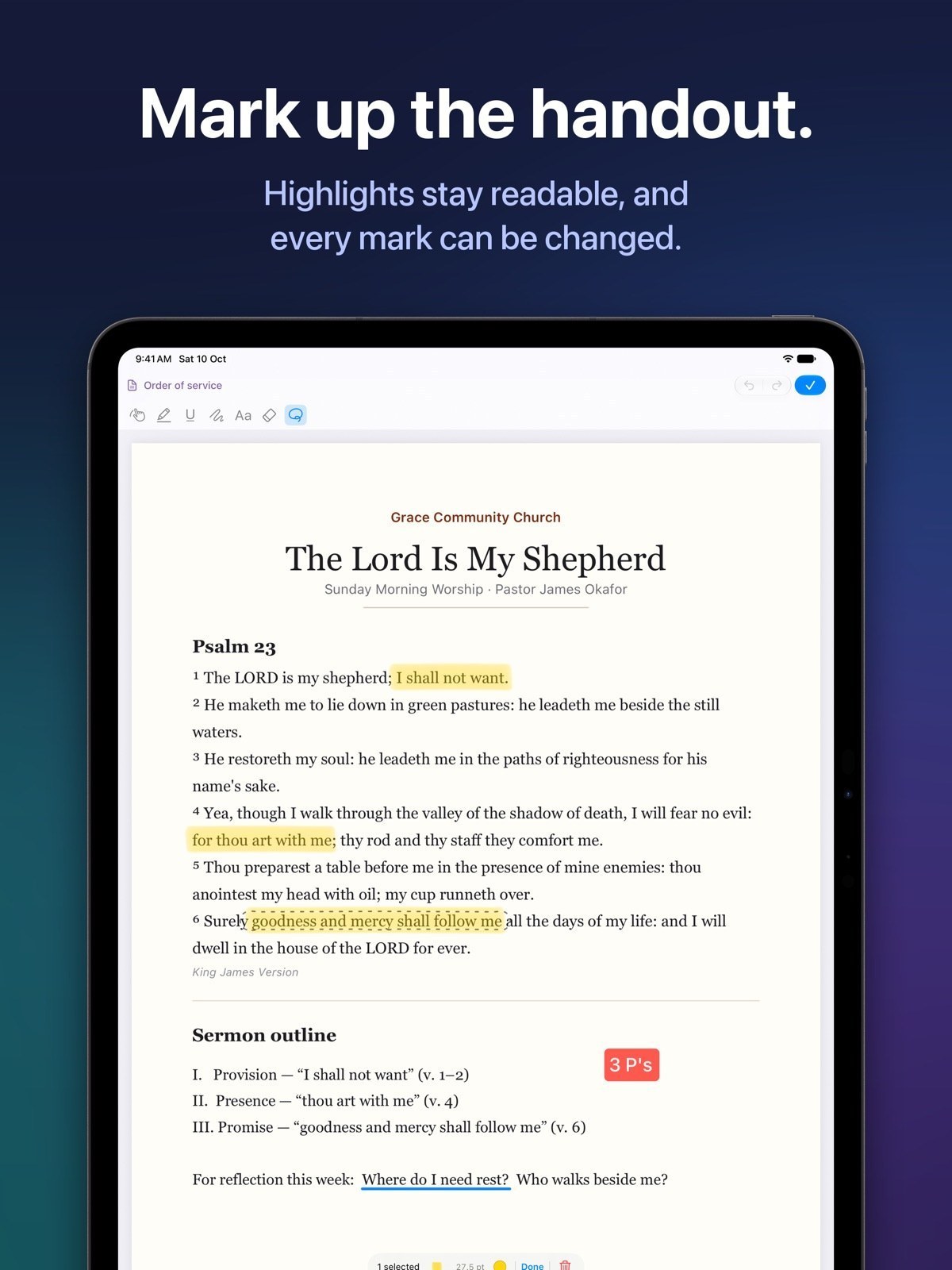
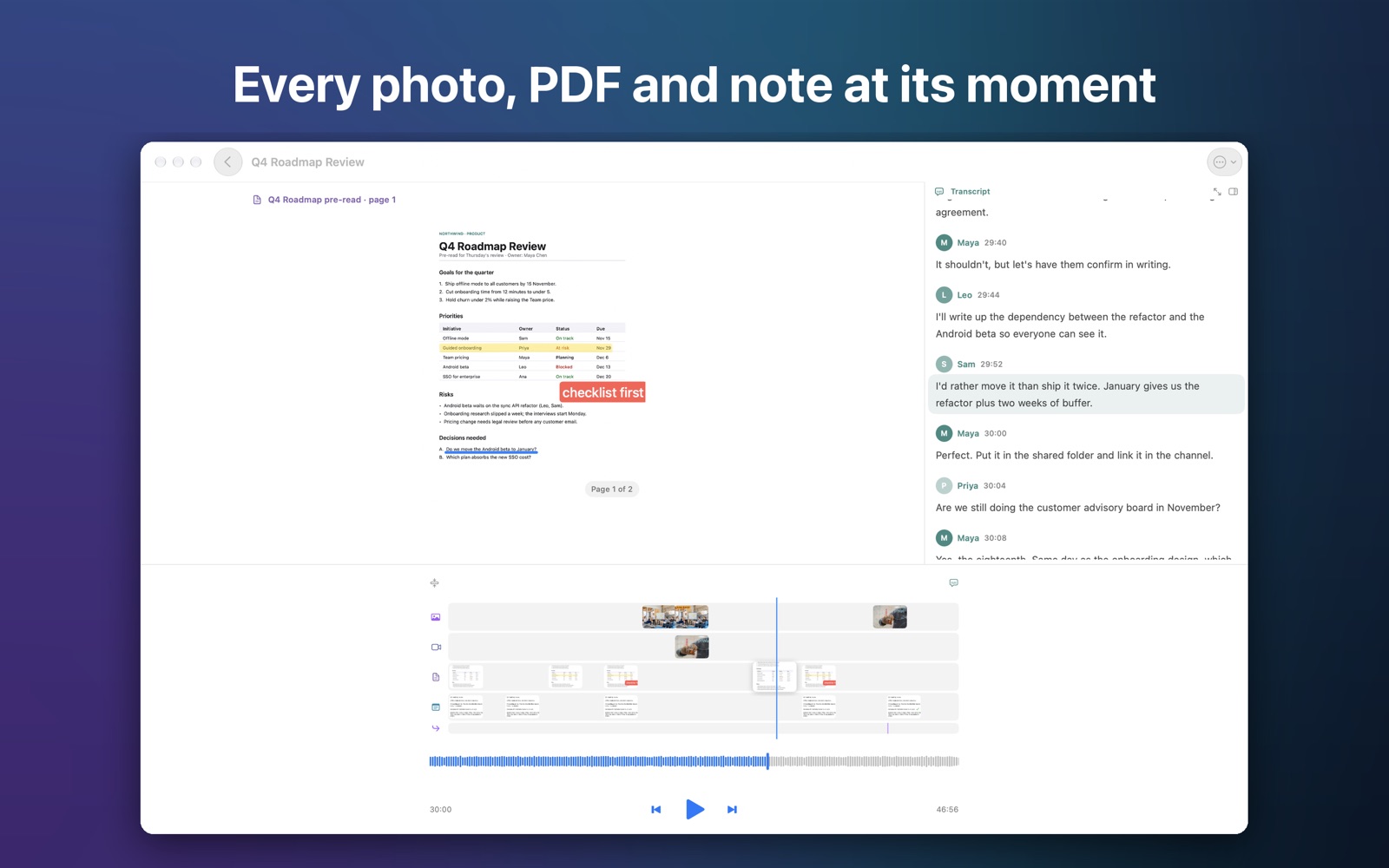
Record the conversation, snap the whiteboard, mark up the handout, and play it all back in sync. Tap any photo to hear exactly what was being said. It all works offline, on your device.


Free for iPhone, iPad and Mac, with a 1-month free trial of Pro.
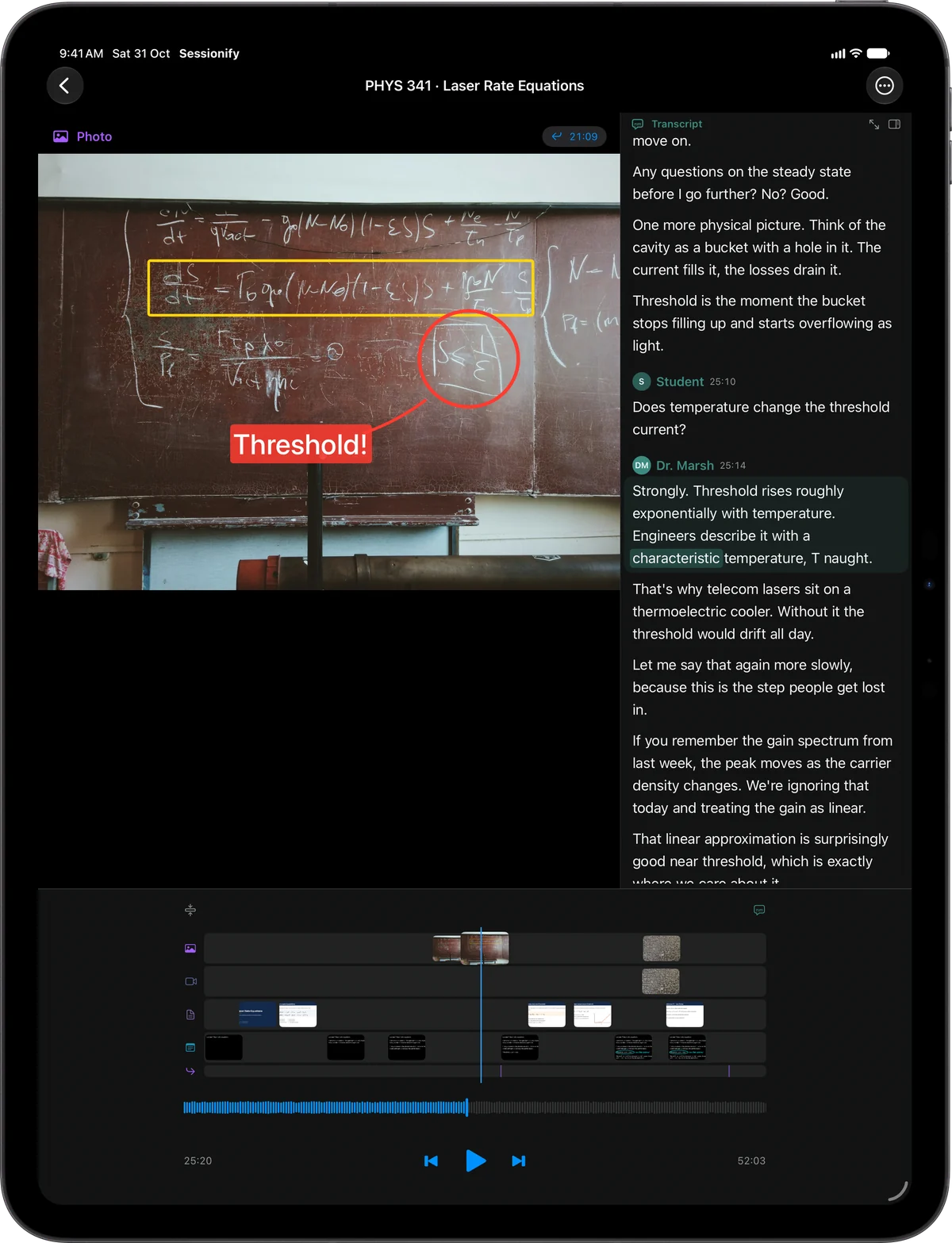
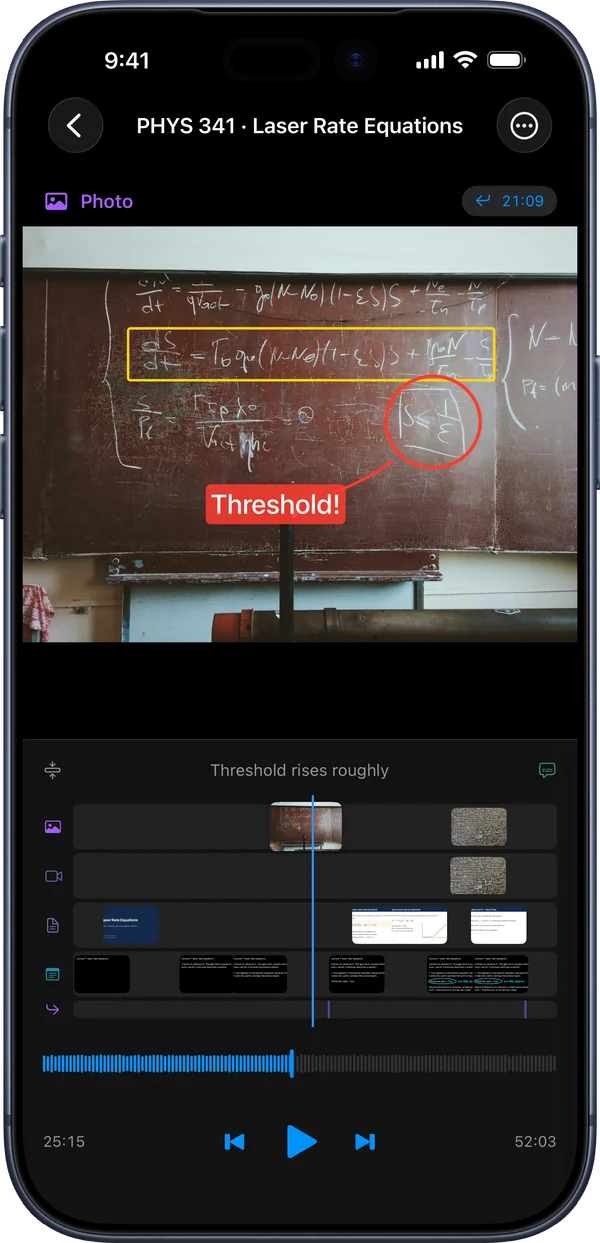
Your recording doesn't know which photo it's talking about. Your photos don't know where in the recording they belong. Sessionify fixes that.
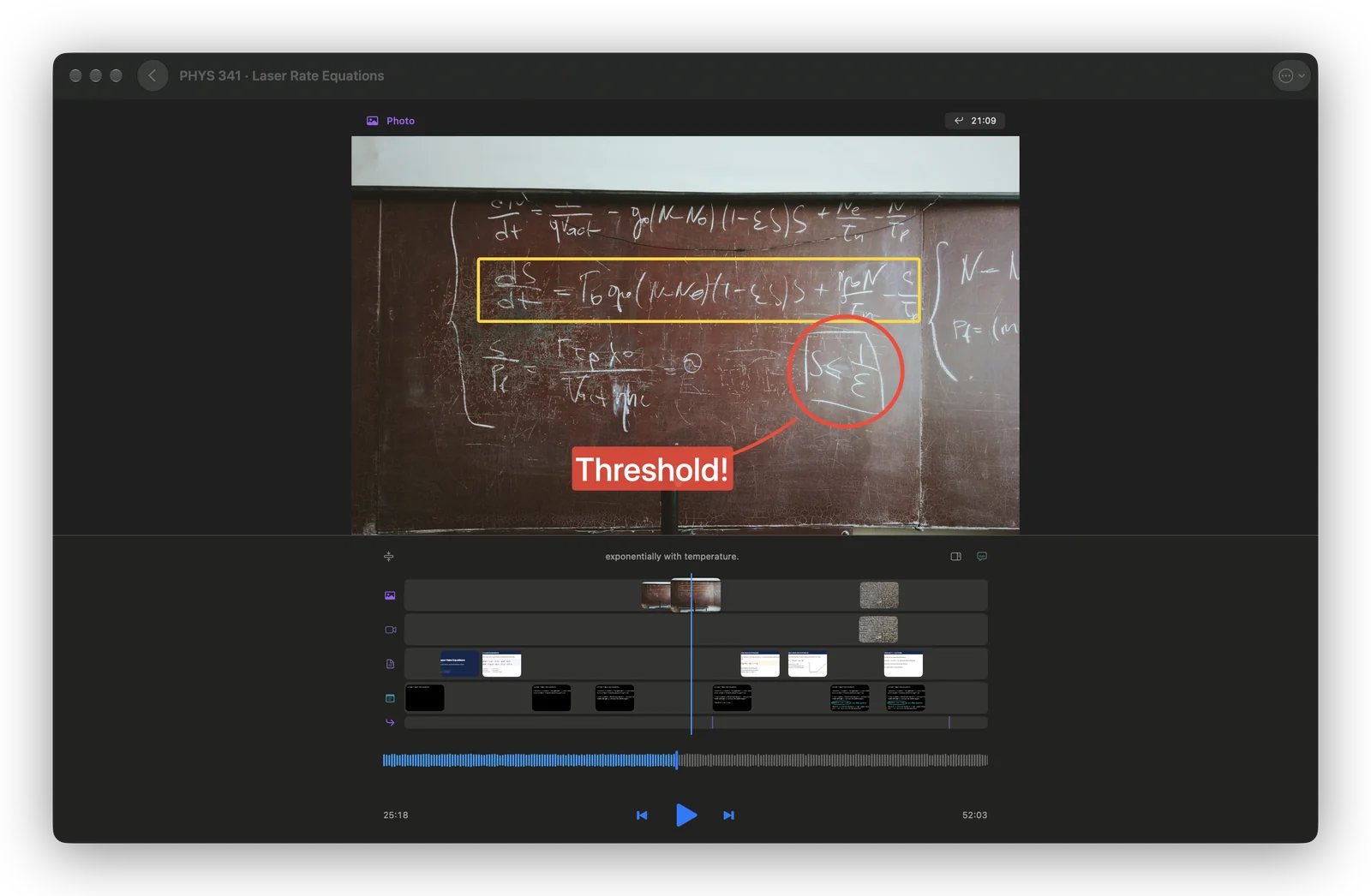
Scrub the audio and the whiteboard from that moment appears. Tap a photo and the audio jumps to it.
AI notetakers join video calls. When the meeting is around a table, at a whiteboard or on site, there is no call to join. Sessionify is built for that meeting.
Photos, short clips, typed notes or Apple Pencil while the recording rolls. The shutter is silent, so it never lands in the audio.
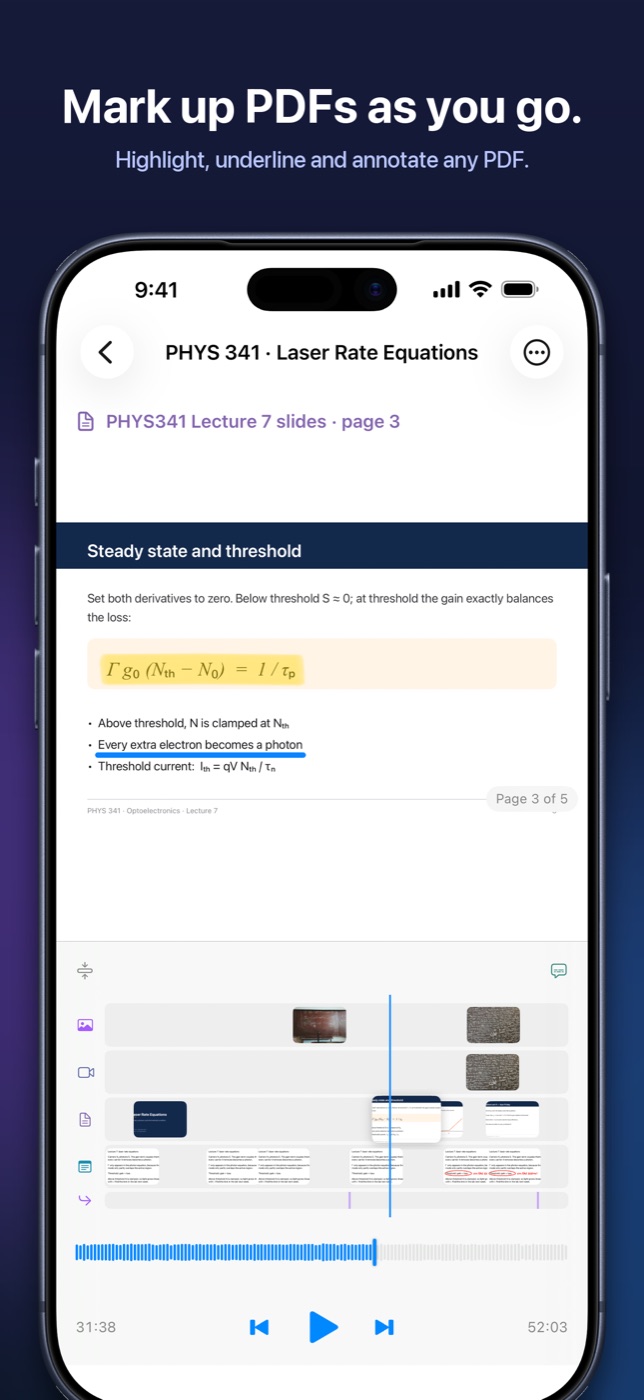
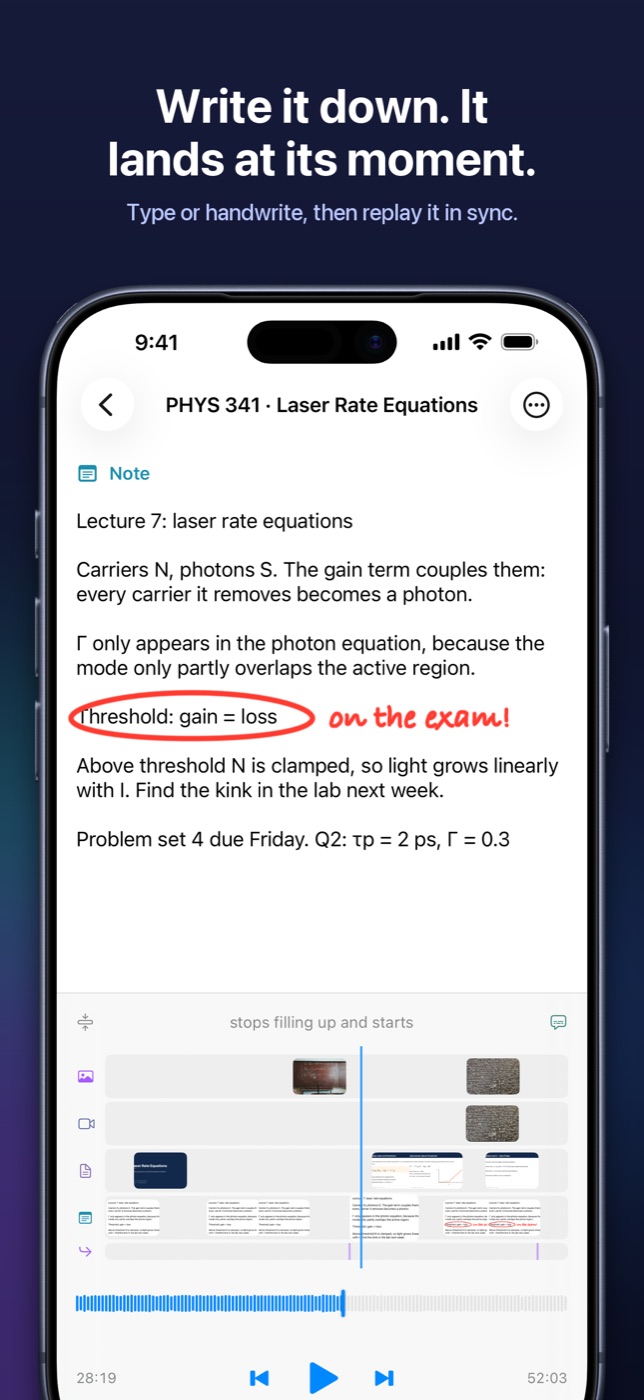
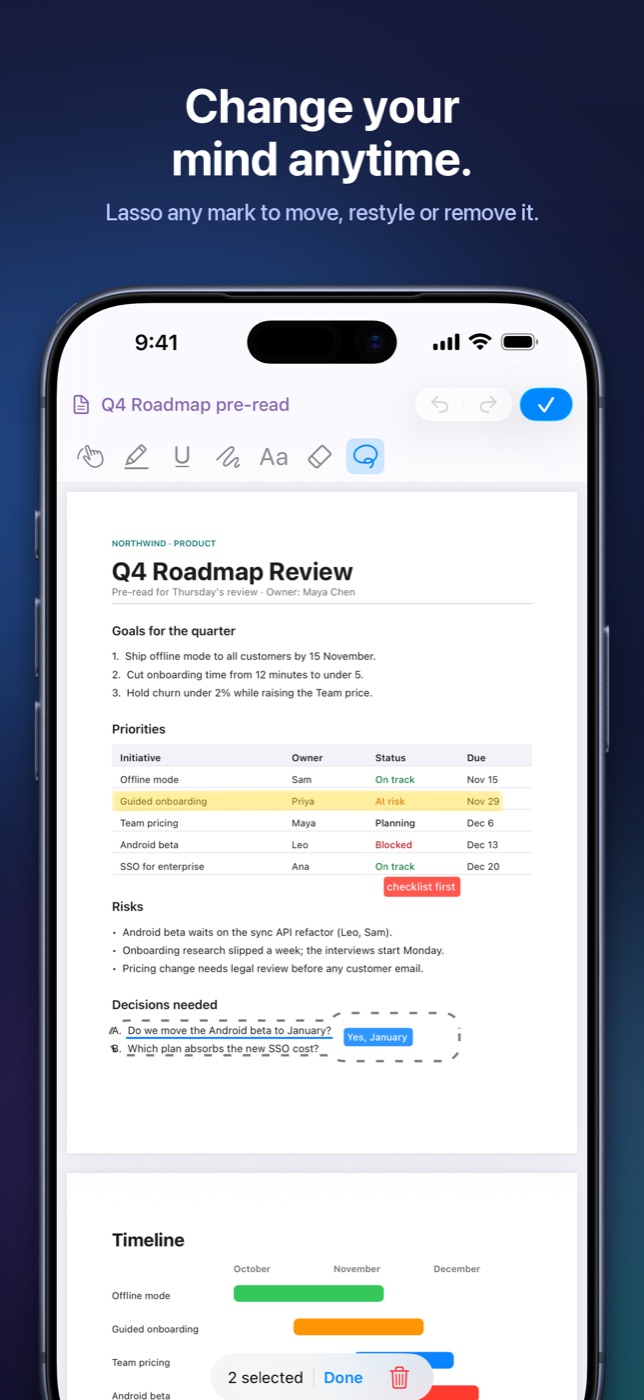
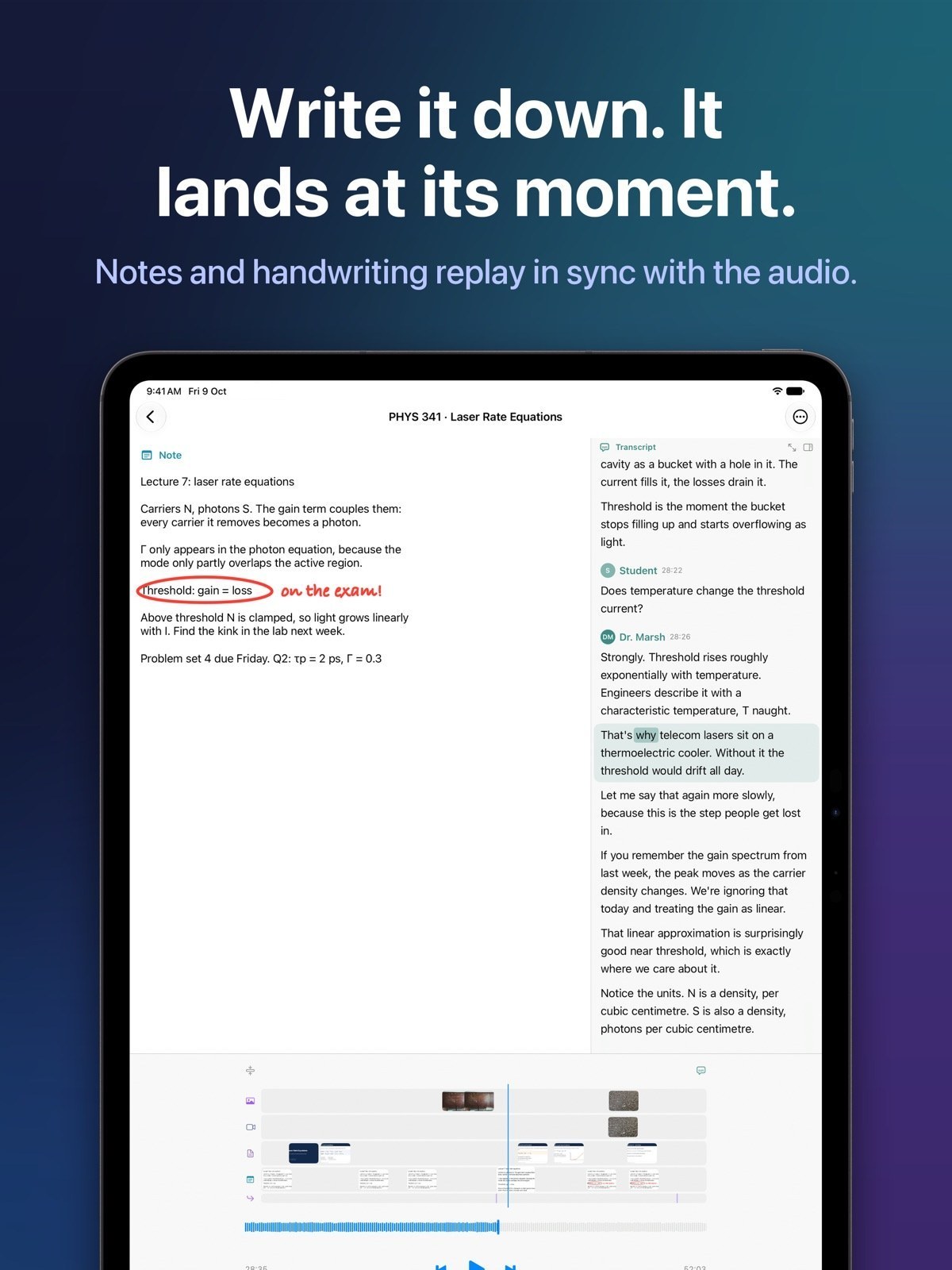
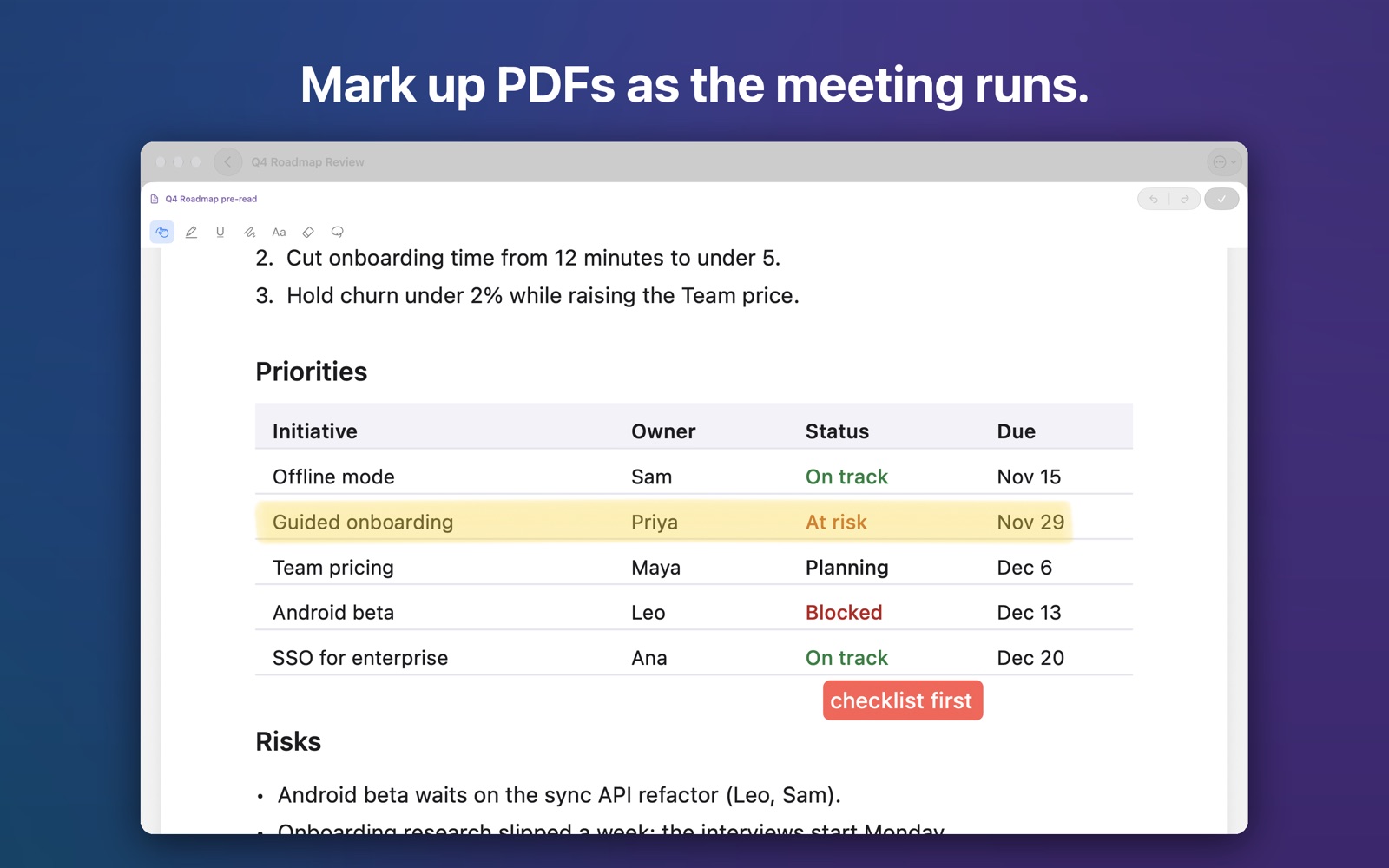
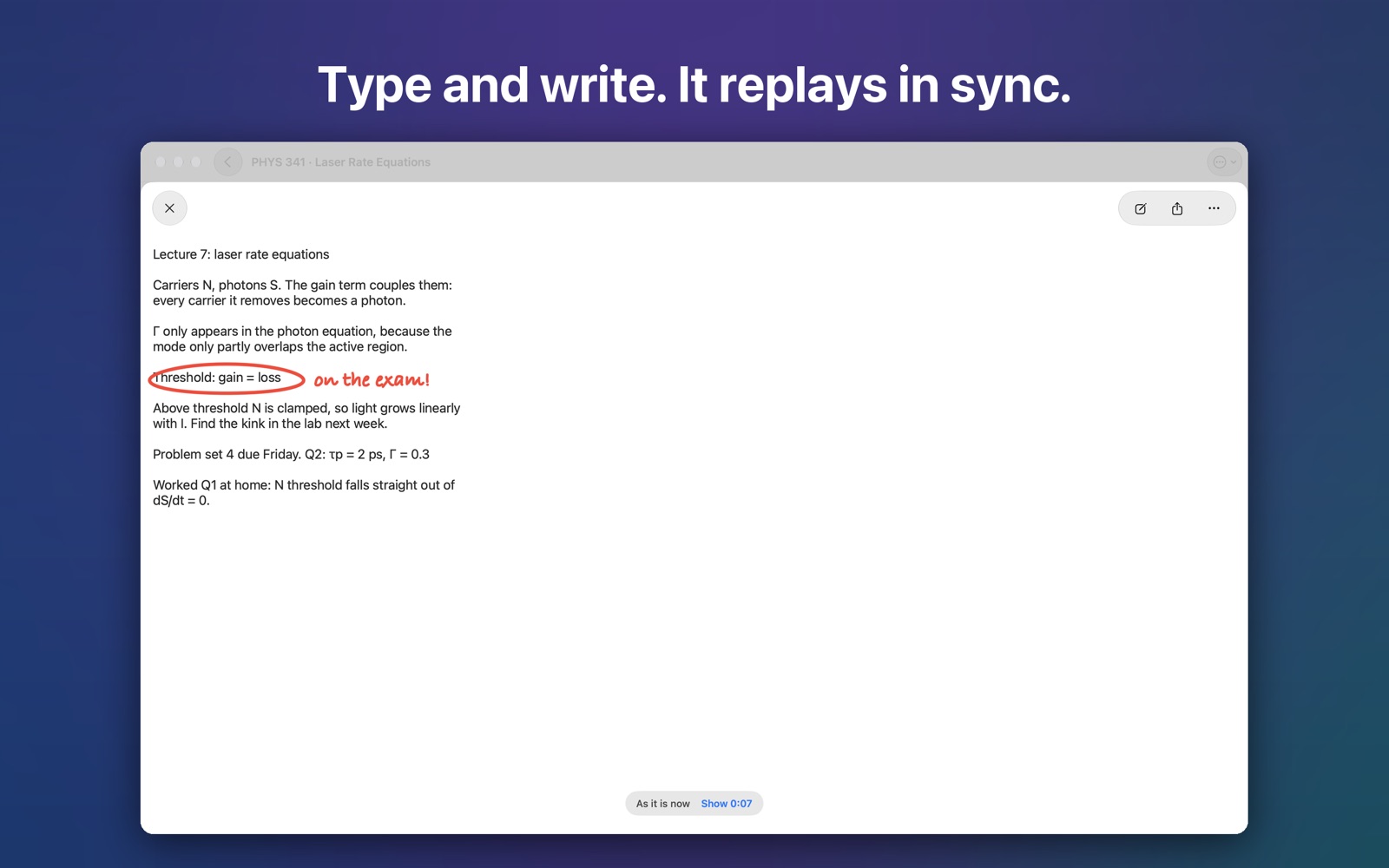
Highlight, underline, draw and type. Each mark is stamped to its moment, so later you hear what was said when you made it.
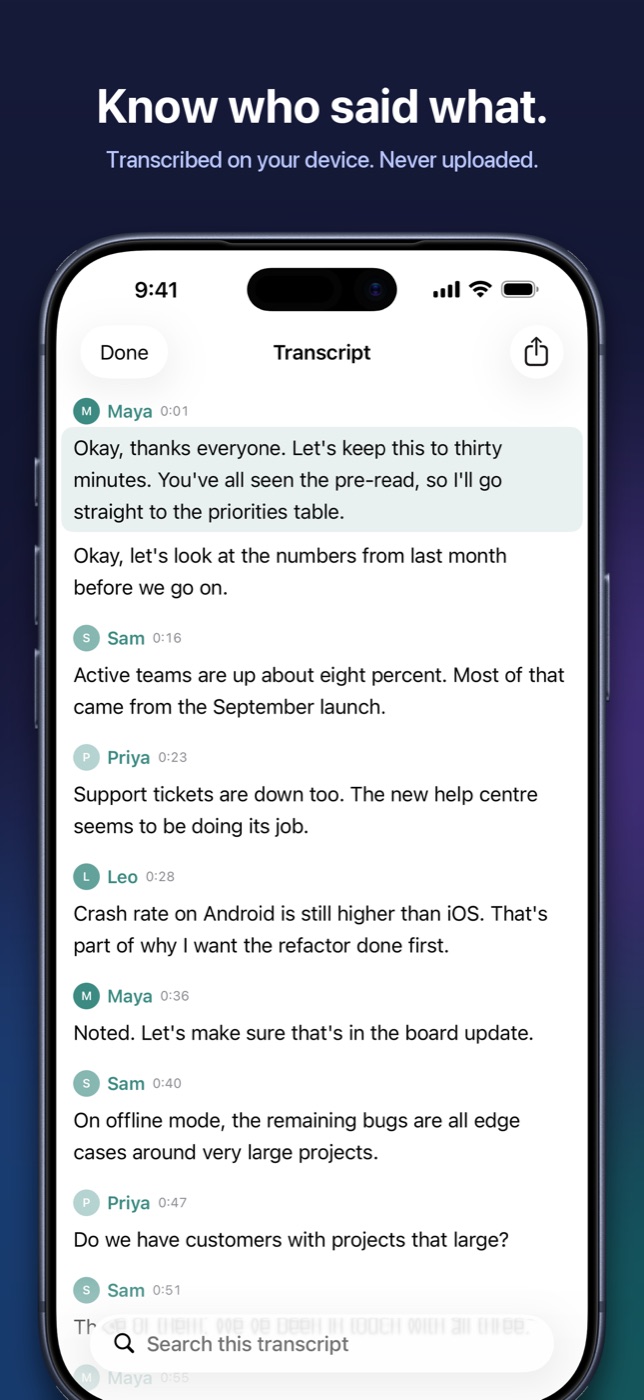
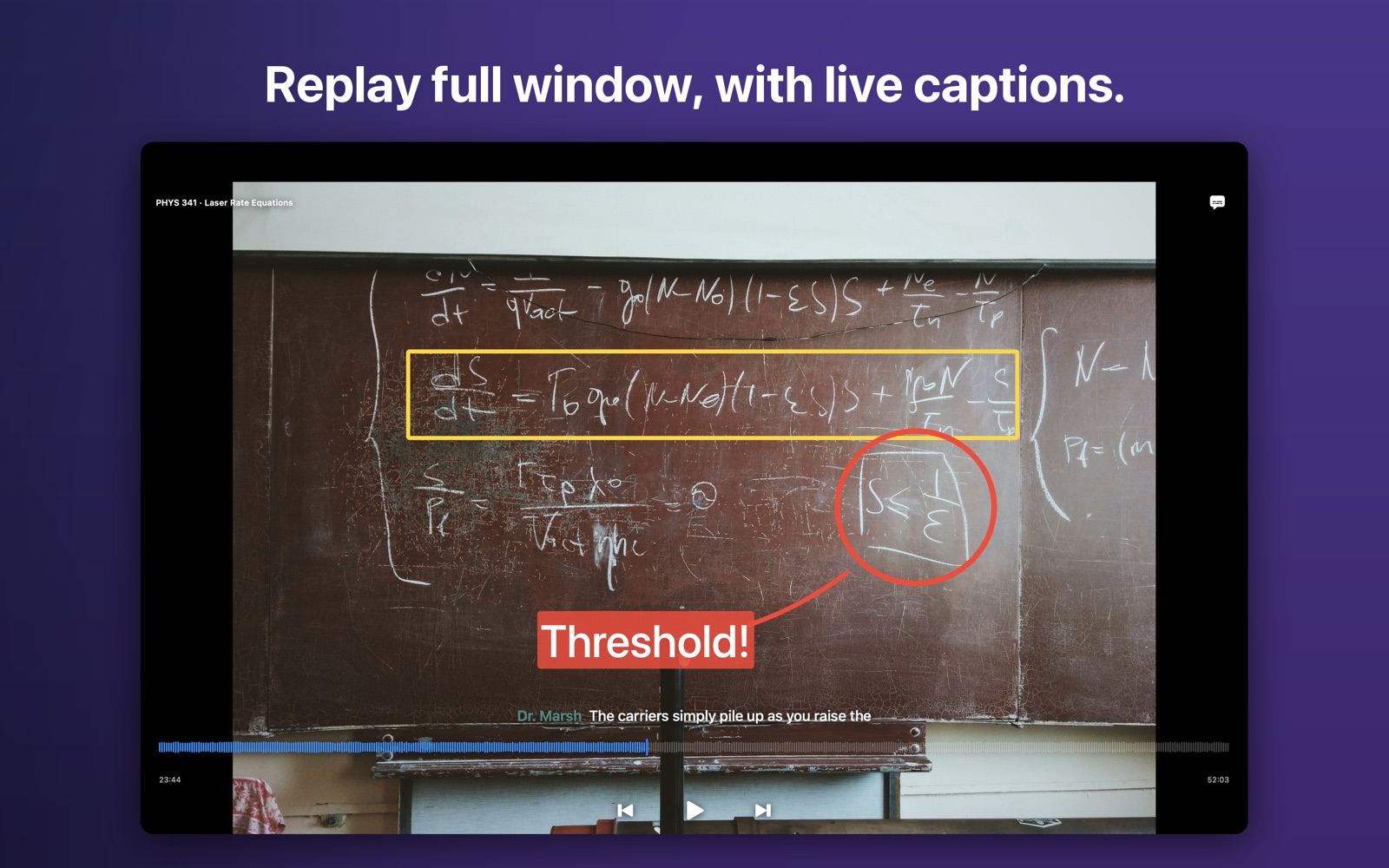
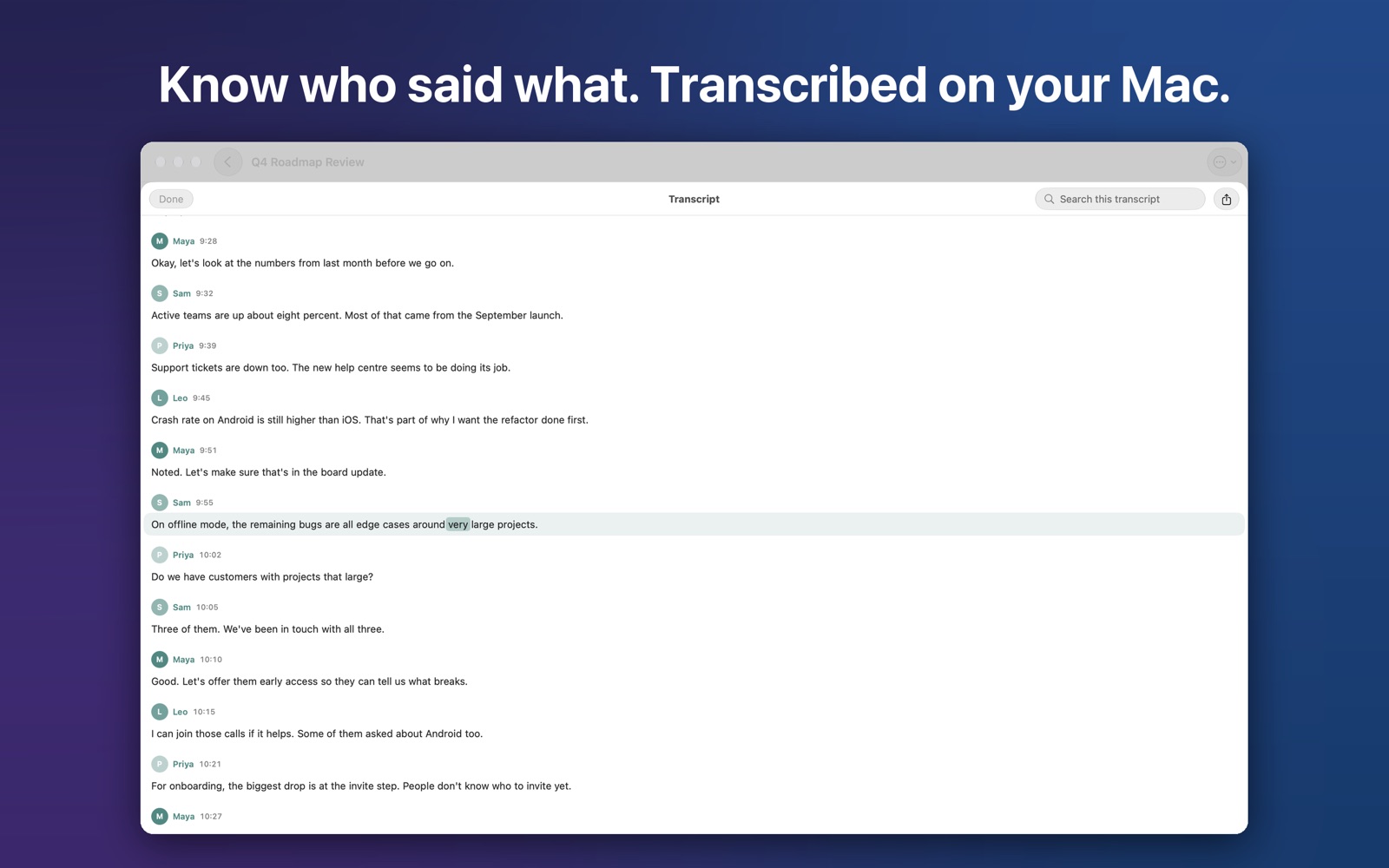
Read along, tap any word to jump there, and see who said what. No audio is uploaded.
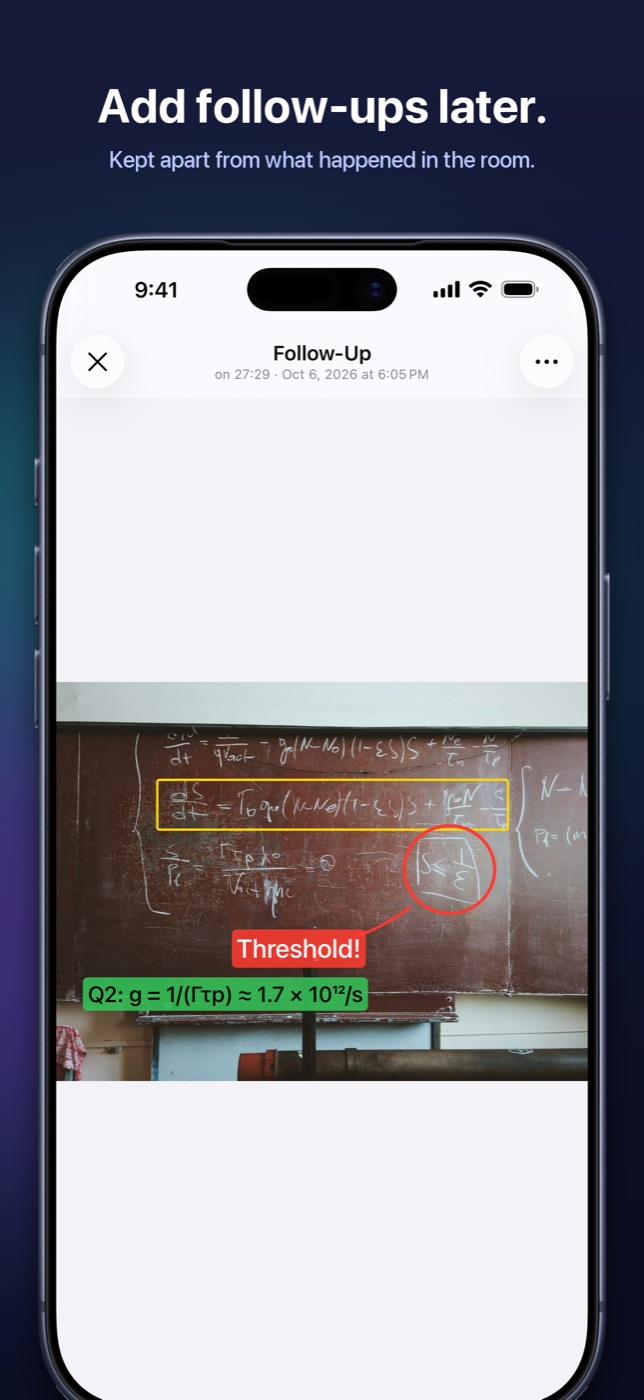
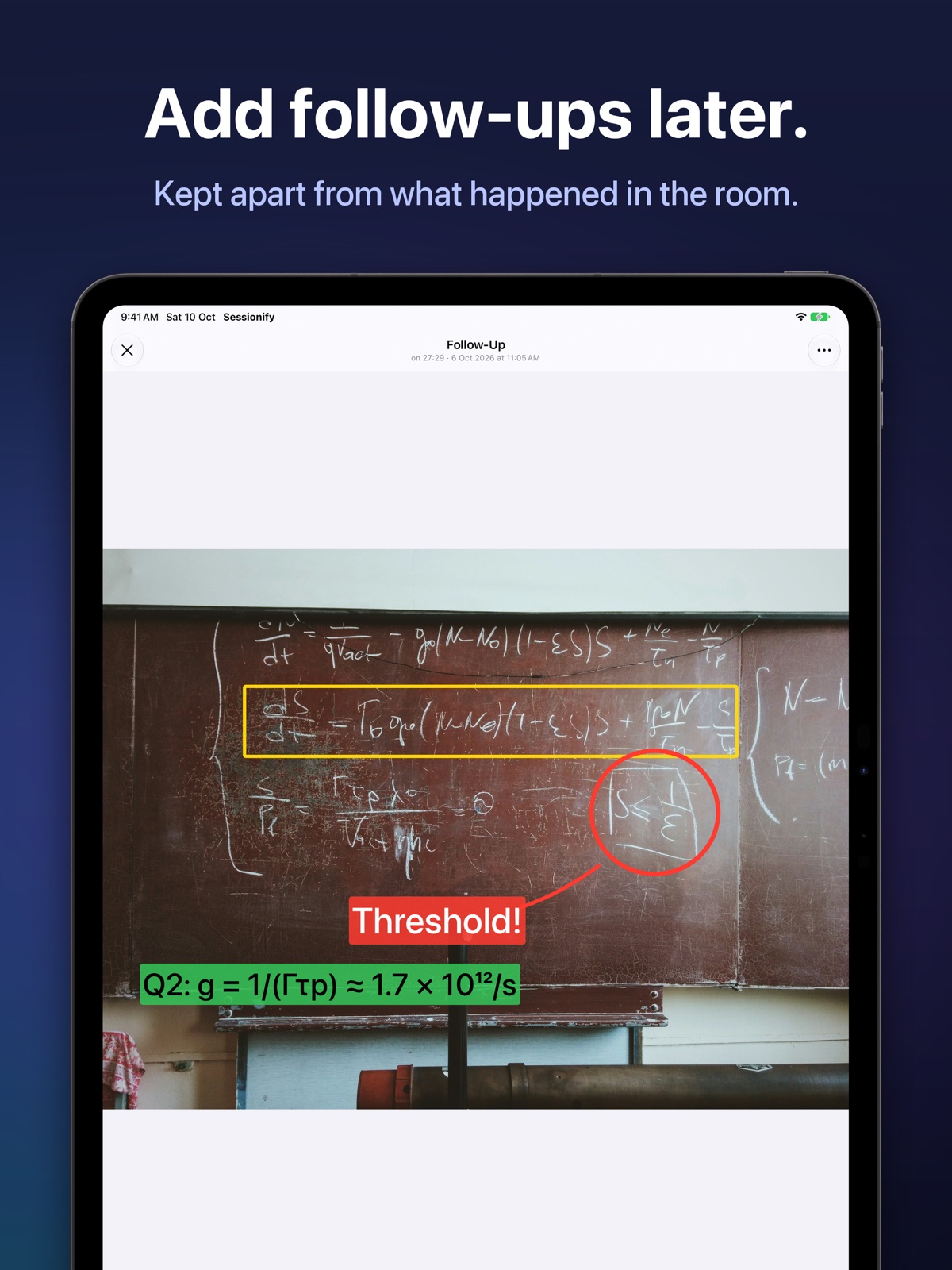
Evening notes and highlights stay separate from what happened in the room, so you always know which is which.
Bring it to your next in-person meeting.
Get Sessionify, free for a monthiPhone for roving capture: record, snap and jot without breaking the conversation.
 Sessionify for MacNow on the App Store. Review every session on a wide timeline, included in your Pro subscription.
Swipe or scroll sideways for more. Requires iOS or iPadOS 17, or macOS 14, or later. One subscription covers all three.
We never see your audio, photos, notes or transcripts, and there is no tracking. Your sessions are ordinary files in your own iCloud Drive, visible in the Files app.
App Store privacy label
Data Not Collected
The developer does not collect any data from this app.
Recording and transcription work offline. iCloud sync needs a connection.
Best value
$59.99 / year
That's $5.00 a month. Save about 37%.
$7.99 / month
Same features, pay as you go.
$0
For anyone you share with.
Subscriptions are managed by Apple and can be cancelled anytime in Settings.
Yes. Recording and transcription need no connection, so it works in basements, on site and on planes. iCloud sync catches up when you are back online.
Sessionify is built for meetings in a physical room. It records what your device's microphone hears and doesn't join video calls.
No. Recording, transcription and speaker identification run on your device. We never see your audio, photos, notes or transcripts.
You can still open and play sessions. Recording, capturing and editing need Pro.
Yes. Pro unlocks Sessionify on your iPhone, iPad and Mac.
Yes. Sessionify for Mac (macOS 14 or later) is on the App Store, and your Pro subscription covers it.
Yes. Opening and playing a session is free.
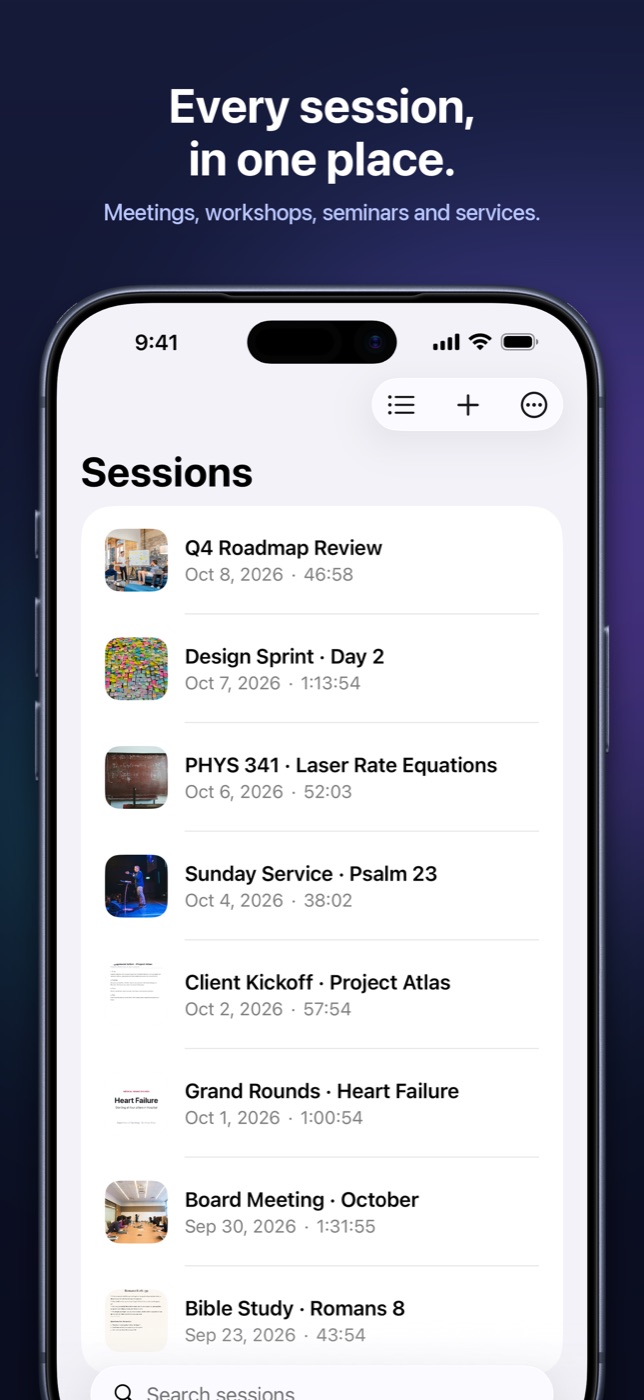
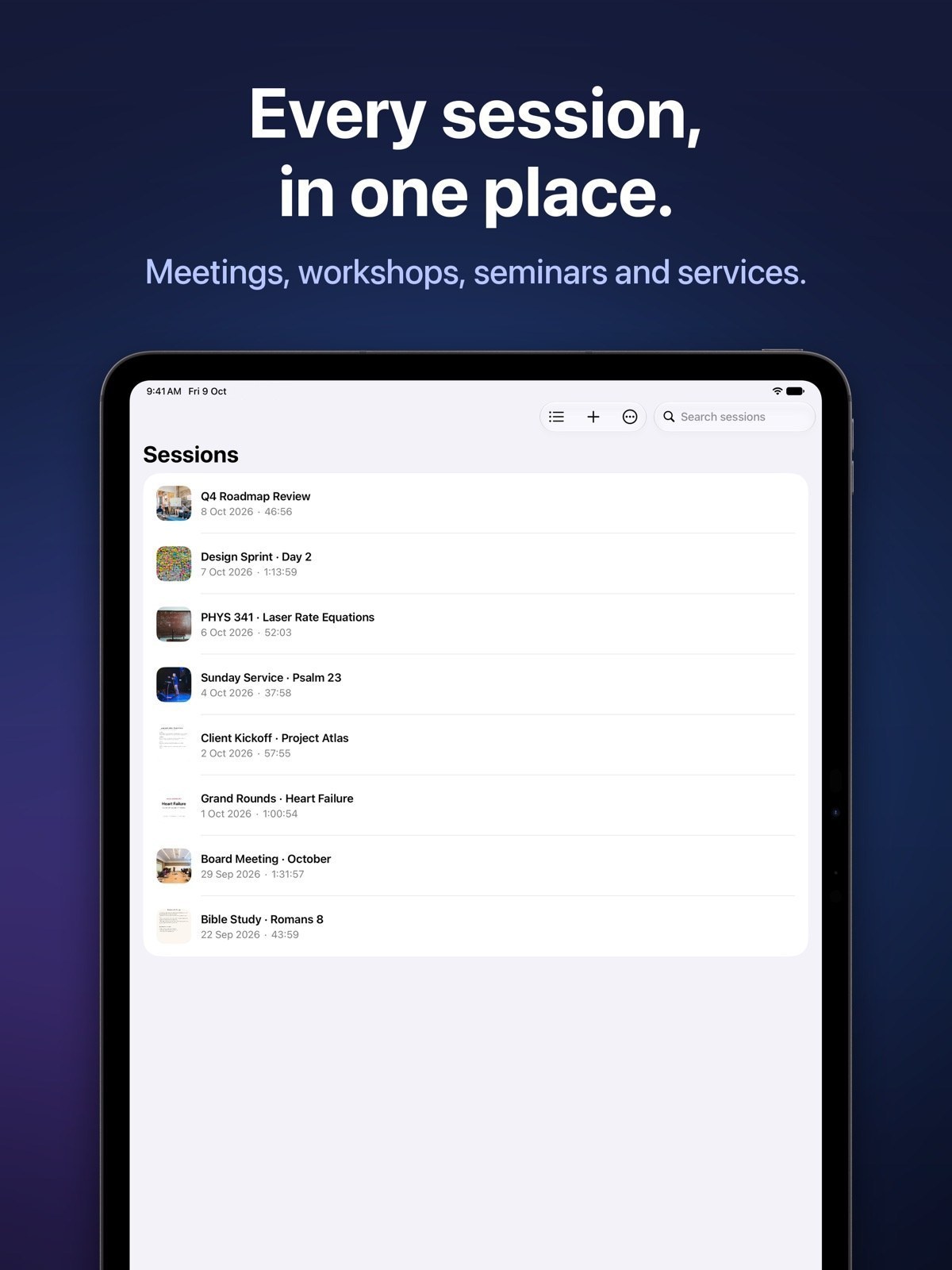
As ordinary files in your own iCloud Drive, visible in the Files app and backed up with your device.
Yes. Audio, photos, clips and PDFs export as normal files.
It records audio throughout. You add photos and short clips at the moments that matter.
Not built in. Sessionify gives you a full transcript made on your device, and nothing is sent to the cloud. If you want a summary and your device supports Apple Intelligence, it can write one from the transcript, also on device.
Not yet. PDFs, photos and notes are supported.
Not today.

The offline recorder for in-person meetings. Start your free month on iPhone, iPad or Mac.